Inventory
Monitor stock, correct discrepancies, count, transfer, and resolve sync conflicts.
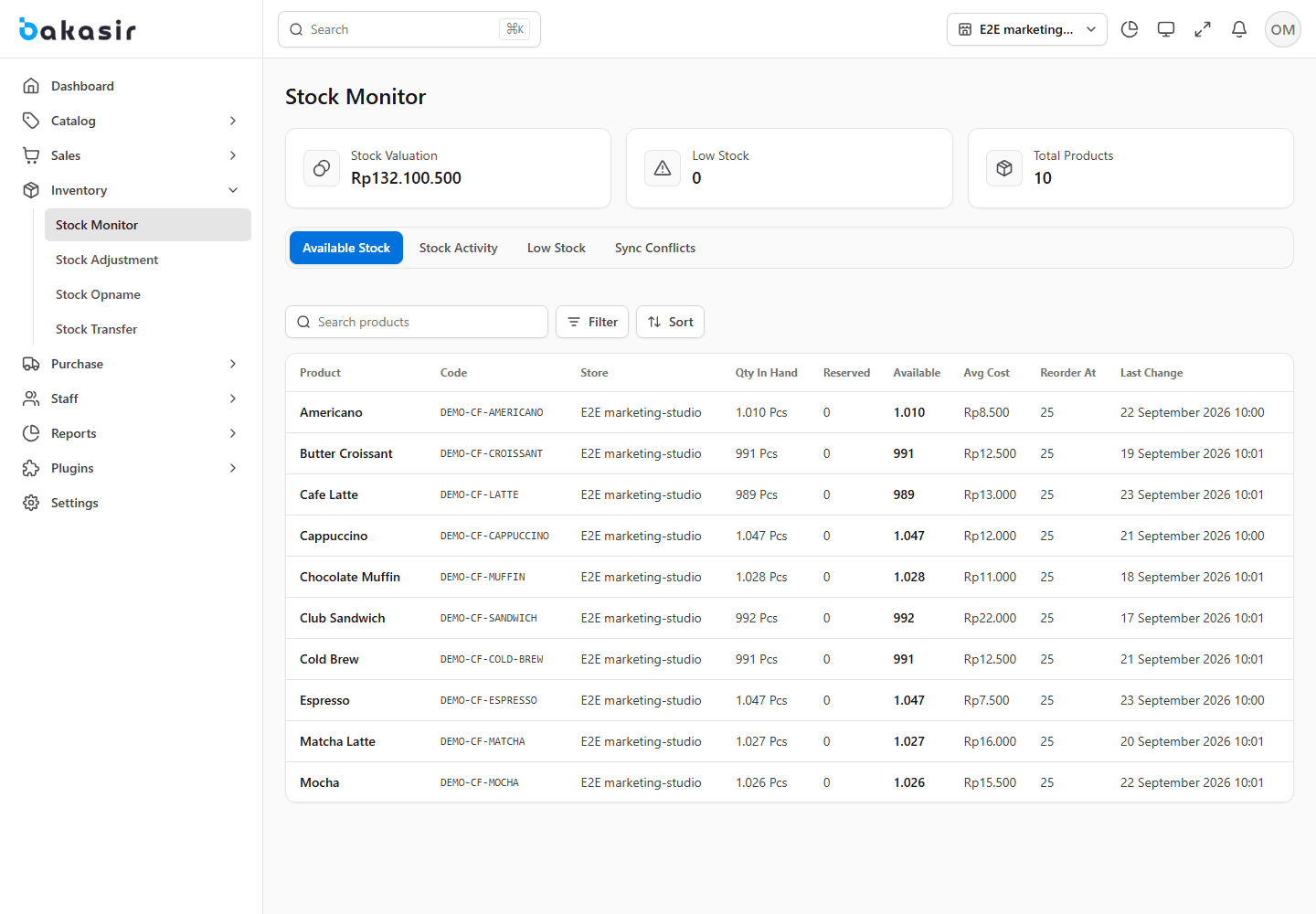
Physical Standard and Variant products carry stock; service and digital items do not. Stock is outlet-specific. Open Inventory → Stock Monitor to inspect on-hand and available stock, low-stock alerts, movements, and lots. Expired or unavailable batches cannot be sold merely because an aggregate balance is positive.
Adjust a known discrepancy
In Stock Adjustments, create an adjustment for the correct outlet/product/variant, enter the measured change and reason, then review its cost impact before saving. Use this for a documented correction, not as a substitute for recording a purchase or a customer return. Financially significant movements may affect reports and accounting.
Perform a stock opname
Open Stock Opname, start a count for the outlet, record physical counts, compare with the system quantities, investigate variance, and finalize the reconciliation. Avoid simultaneous unrecorded sales or receipts during the count. Keep the recorded reason for audit.
Transfer between outlets
In Stock Transfers, choose source, destination, product/variant and quantity. Send the transfer, then confirm receipt at the destination. A Sent transfer is in transit, not yet sellable at the destination. Canceled transfers and landed costs follow the transfer status and costing rules; inspect both outlets before retrying a failed operation.
Batch, costing, and offline conflict
Set Moving Average, FIFO, or Batch-Specific costing in System Settings. A method change is prospective and revalues current stock with confirmation. Check expiry dates and usable lots for batch-controlled goods. If an offline POS sale conflicts after synchronization, resolve the surfaced inventory conflict in the designated inbox instead of silently overwriting stock.
Do not repair stock with a direct database edit
Use Purchase, Return, Adjustment, Transfer, or Opname so movements, cost layers, and audit history remain consistent.