Introduction
Learn Bakasir from your first outlet to everyday operations.
Run the day from one workspace.
Bakasir connects your catalog, POS, stock, purchases, customers, people, finance, and online store. Start with a safe first sale, then explore the advanced workflows when your business needs them.
Set up your business
Create an outlet, verify your account, and choose system settings.
Make a sale
Open a register, sell, receive payment, and print a receipt.
Control your stock
Receive, count, adjust, transfer, and investigate stock.
Go online
Activate E-Commerce, publish products, and fulfill orders.
Choose your path
| Your role | Start here | Then read |
|---|---|---|
| Owner | Onboarding | Settings, Reports |
| Manager | Dashboard | Inventory, Team & HRM |
| Cashier | POS & sales | Customers |
| Online operator | E-Commerce | Catalog |
Permissions and plugins
Your available menus depend on your role, plan, and activated plugins. A hidden plugin menu does not mean its historical data was deleted.
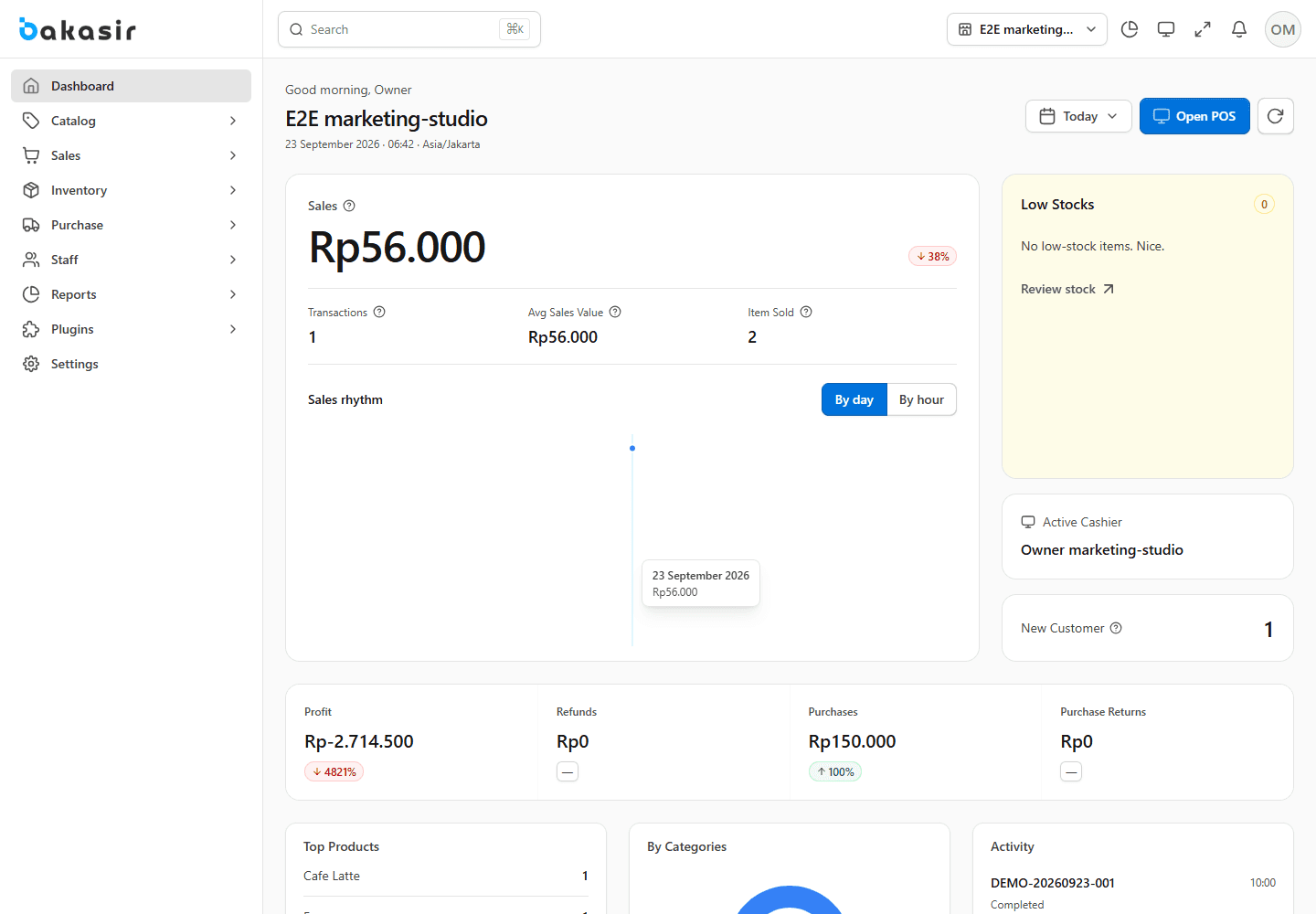
This image is an illustration of the Bakasir interface. Labels and data in your account may differ with your plan, permissions, and settings. Select a topic in the left sidebar or search above.