Dashboard
Read today's activity, trends, and operational signals without mixing timezones.
Open Dashboard after selecting the outlet you want to inspect. Choose Today, Last Month, or a custom range. The dates and daily boundaries use Settings → System → Timezone, including the Today summary and POS Today Sales.
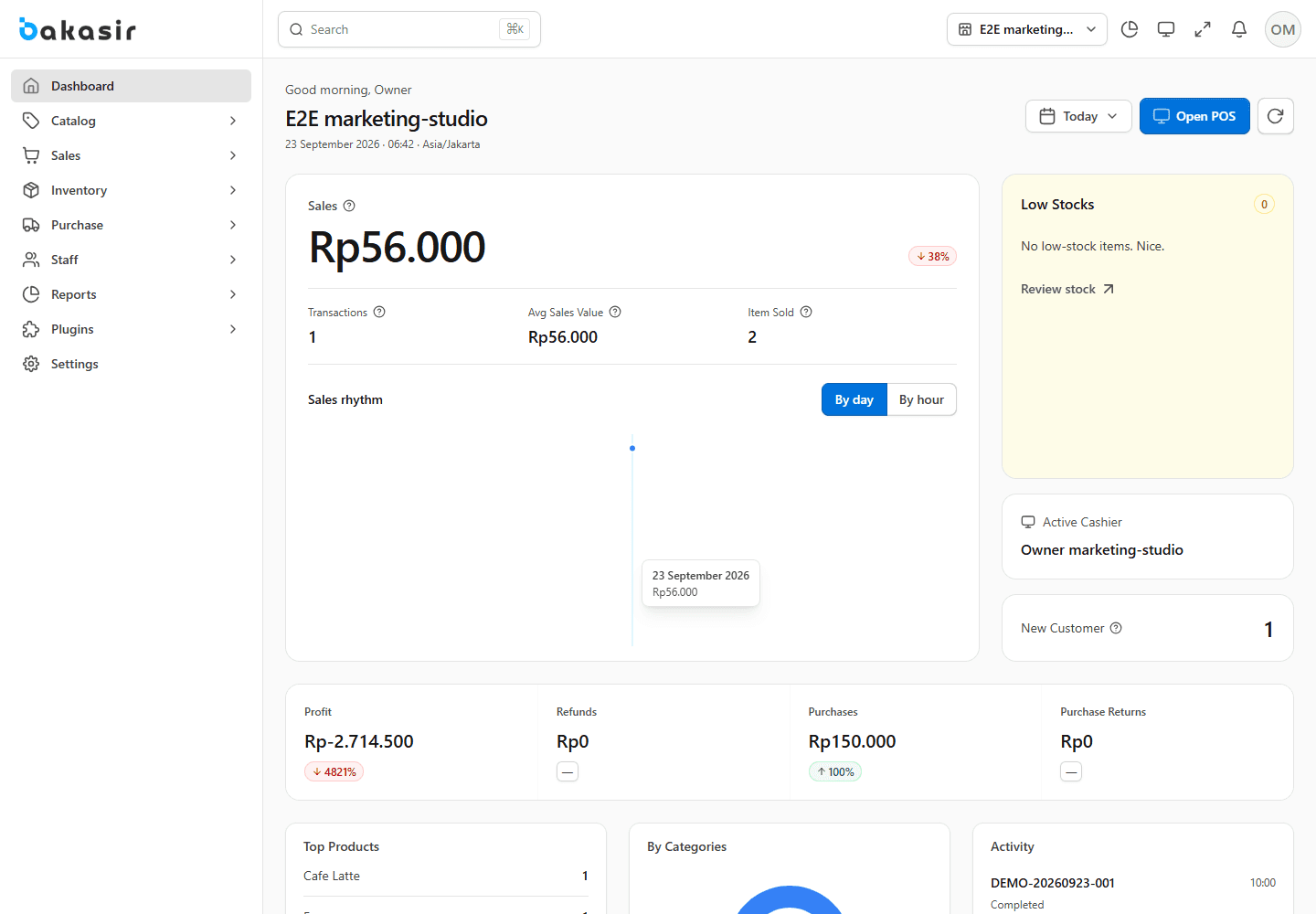
Read the numbers
- Sales and transactions: placed online orders appear as transactions with an Online Order badge; revenue is recognized only when the order reaches its completed state.
- Profit: sales tax is not profit. Net revenue excludes tax, then subtracts cost of goods and expenses. Returns are not subtracted twice.
- Payment methods and cash: cash, bank/card/digital tenders, and cash change are shown separately. Split Pay change leaves the cash drawer.
- Stock, purchases, customers, and cashiers: use the summary panels as a starting point, then drill into the source module for the transaction-level record.
Check a surprising total
Confirm the outlet filter, System timezone, sale status, tax mode, and whether an online order was merely placed. Use Transactions and the matching Report to reconcile.
Use the date range consistently across Dashboard and Reports before comparing figures. For accounting-grade reconciliation, inspect source transactions and, if enabled, journal entries rather than relying only on a summary card.